iPhone · Free · App Store

Five seconds of games
before your feed.

Your thumb opens Instagram before you decide to. Gobyou stops it with a game.
Win three 5-second challenges and you're in for a few minutes. Miss, and you're sent home.

iOS 17.0 or later / English & Japanese / In-app purchases
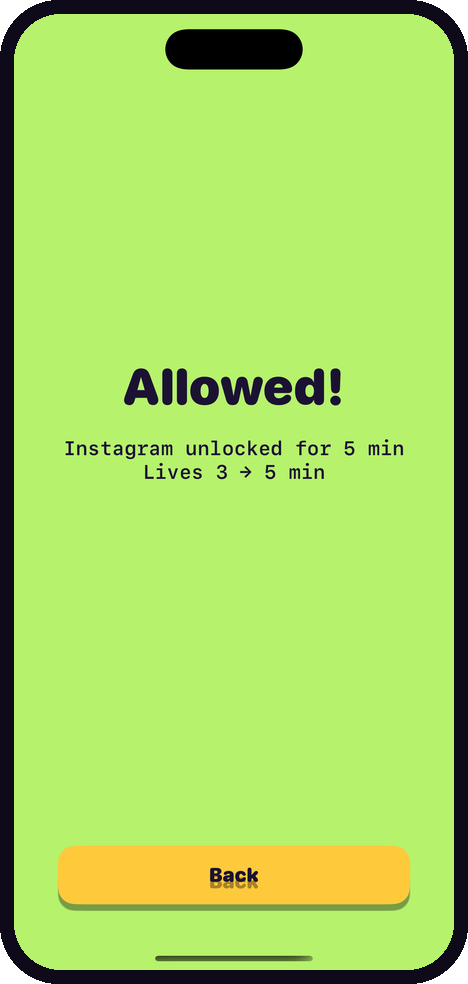
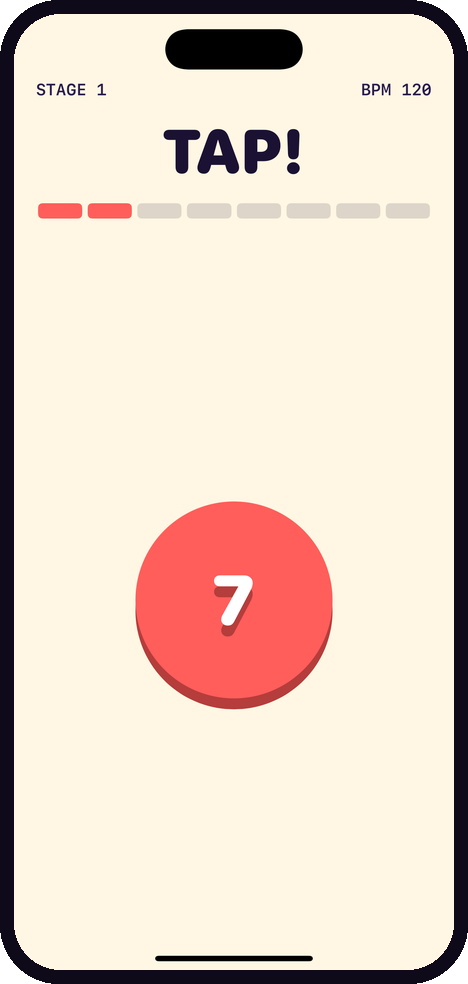
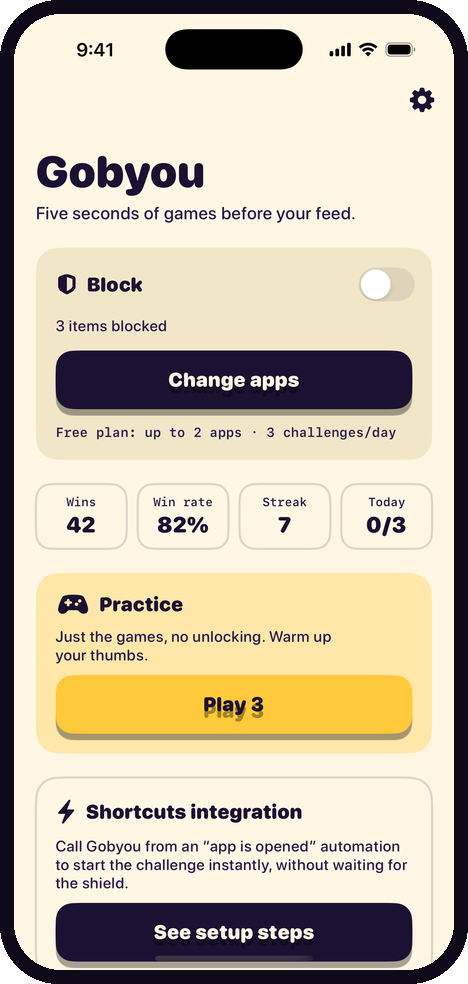
Challenge won — the app unlocks for five minutes The TAP! micro-game Gobyou home screen
5 sec × 3 games 10 one-word orders 0 bytes uploaded Free to start

HOW IT WORKS

Stop white-knuckling it. Just win the game.

Willpower runs out. Gobyou turns the pause before opening an app into something you actually want to do.

STEP 1

Pick what to block

Instagram, TikTok, YouTube — choose apps or whole categories. Add day-and-time schedules if you want.

STEP 2

A shield appears

Open a blocked app and the shield blocks it. Tap “Challenge” and Gobyou takes over.

STEP 3

Win three, get minutes

One-word orders, an 8-beat timer, instant verdict. More lives left means more minutes (up to 10). Lose and you go home.

MICROGAMES

One word. Eight beats. Go.

Tap, swipe, hold, shake — nothing complicated. The tempo speeds up with every win, and it's faster after midnight.

TAP!hit the count
STOP!stop on green
FIND!spot the odd one
SWIPE!follow the arrow
HOLD!release on green
COUNT!how many flashed
WAIT!touch and you lose
PICK!the real icon
SHAKE!shake the phone
TILT!Pro / roll it home

FEATURES

As gentle or as brutal as you need.

Schedules by day and time

Block only on weekday evenings, or only before bed. Overnight windows work too.

  • Switch between always-on and schedule-only
  • Presets for evenings, bedtime and work hours
  • Outside the window, your phone is just a phone
Gobyou home screen with block settings
A micro-game in progress

Strict mode when it matters

Before an exam or a deadline, drop the challenge entirely and block outright. No negotiating with yourself.

  • No unlocking by playing during strict mode
  • Night boost makes late-night games harder
  • Unlock length adjustable from 1 to 15 minutes

Start it any way you like

Not just the notification — start a challenge from a widget, from Control Center, or automatically with Shortcuts.

  • Lock Screen and Home Screen widgets
  • Control Center button
  • Works with Shortcuts automations
  • Win rate and streaks are tracked
Challenge result screen

PRICING

Start free. Upgrade if it sticks.

The free tier is usable every day. Go Pro when you want to block more than a couple of apps.

Free

$0

forever

  • 2 blocked apps
  • 3 challenges per day
  • Core micro-games
  • 1 schedule
  • Stats and streaks
7 days free

Pro

$2.99 / mo

or $17.99 / year (2 months off)

  • Unlimited blocked apps
  • Unlimited challenges
  • All micro-games, including TILT!
  • 5 schedules
  • Strict mode and night boost

After the free trial, the selected plan is charged automatically. Subscriptions renew unless cancelled at least 24 hours before the end of the period. Manage or cancel anytime in iPhone Settings. Prices vary by region.

FAQ

Questions

Does it really keep me out of my apps?

Yes. Gobyou uses Apple's Screen Time (Family Controls) to shield the apps you pick. Winning three 5-second games lifts the shield for the minutes you chose (1–10), then it comes back automatically.

How does the game start?

Open a blocked app, tap “Challenge” on the shield, then tap the notification. Opening Gobyou itself also starts it. You can also use a Shortcuts automation, a widget, or a Control Center button.

What do I get for free?

Two blocked apps, three challenges a day, the core micro-games and one schedule. Pro is $2.99/month or $17.99/year with a 7-day free trial.

Is my data sent anywhere?

No. Your app selection and play history stay on your iPhone (in an App Group container). There are no analytics or advertising SDKs. See the privacy policy.

Is there an Android version?

Not yet — Gobyou is iPhone only (iOS 17 or later).

How do I cancel?

iPhone Settings → your Apple Account → Subscriptions, any time.

Five seconds, starting today.

Download it free and play one round.

Download on the App Store